Solutions:
Quix

An industrial data platform your team can maintain without help from IT

Quix is an industrial data management and automation platform that small teams can actually run on their own. No six-figure contracts, no twelve-month implementations, no dedicated IT team required.

Give more autonomy to domain engineers

The goal: engineers who understand suspension, aerodynamics, or thermal systems can deploy their own models. They write Python, Quix handles the containerization and orchestration. Your IT and software teams stop fielding every deployment request.

No vendor lock-in

Quix runs self-contained in your VPC or air-gapped on-premise. Your team controls deployment and iteration speed. No governance committees, no waiting for infrastructure provisioning. If you need help from us, we’re happy to jump on a call or respond via Slack. No need to “raise a ticket”.

No more waiting for support and IT tickets

Quix runs self-contained in your VPC or air-gapped on-premise. Your team controls deployment and iteration speed. No governance committees, no waiting for infrastructure provisioning. If you need help from us, we’re happy to jump on a call or respond via Slack. No need to “raise a ticket”.

What can you build with Quix?

Week 1 — Setup

Your environment is ready for joint development. Quix ingests data from both high-frequency files (via a file listener) and databases.

Week 2 — Basic analytics

Your team can ingest raw metrics from the test machine. Using Python-based services, you can save high-quality run data to an analytics-ready data store.

Week 3 — Training

Your engineers learn how to run advanced analytics, test analytics on historic and live data, and build and deploy various analytics services on top of that data.

Week 4 — Evaluation

Your team understands how Quix solves your selected R&D problem and how to apply the same methodology to other use cases. They also have the data to make a business case that proves the ROI of better automation.

Bonus Week — AI Training

We train your team on how to use AI coding tools to write better data processing logic and dashboards, increasing development velocity by 70%.
How Quix helps to automate engineering workflows

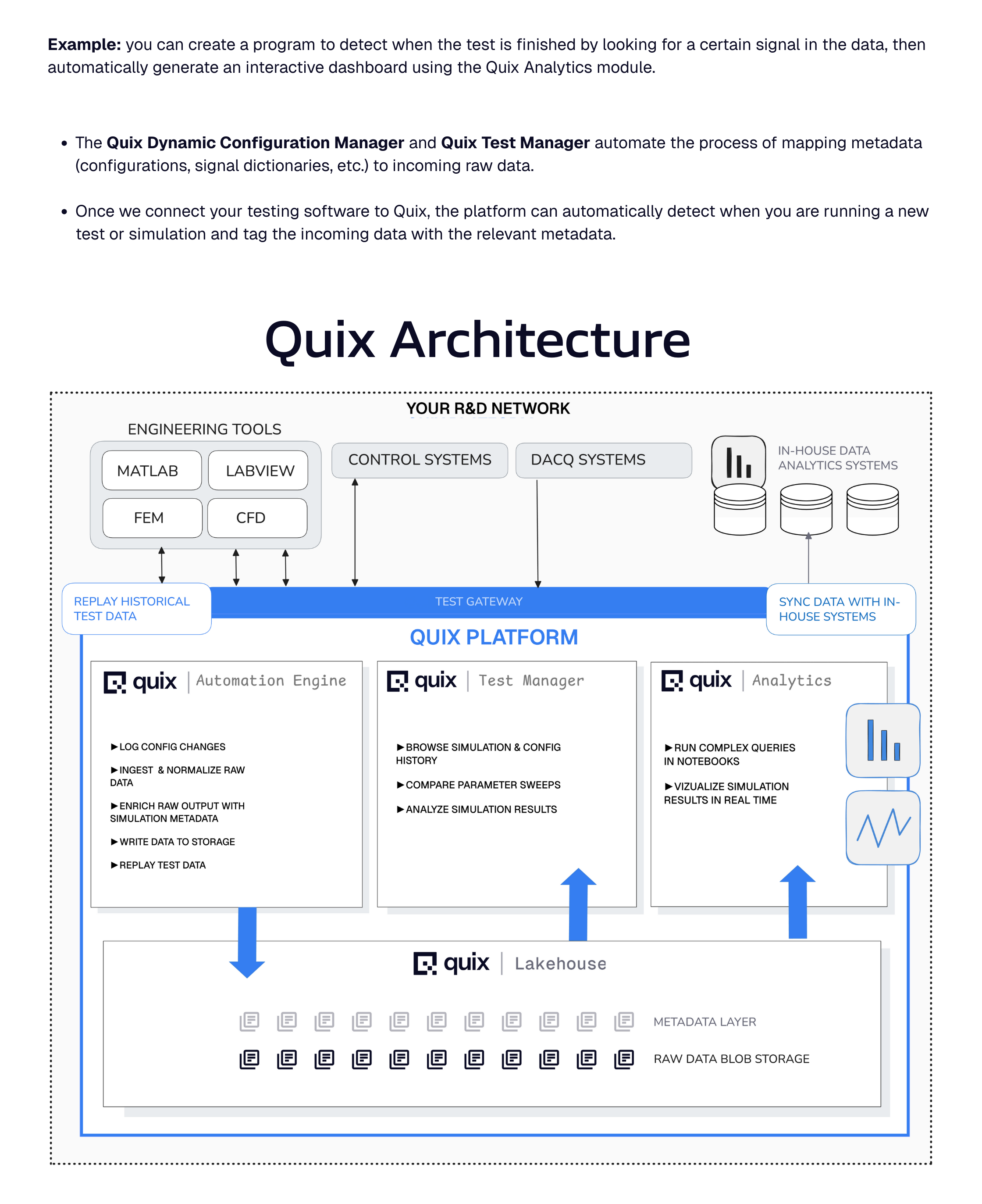
Quix enables you to build small, containerized Python programs that continuously observe and act on incoming data. You can deploy these programs to the Quix Automation Engine instead of trying to run them as ad-hoc scripts on a local PC.

Get a pilot running in days, not months

Week 1 — Setup

Your environment is ready for joint development. Quix ingests data from both high-frequency files (via a file listener) and databases.

Week 2 — Basic analytics

Your team can ingest raw metrics from the test machine. Using Python-based services, you can save high-quality run data to an analytics-ready data store.

Week 3 — Training

Your engineers learn how to run advanced analytics, test analytics on historic and live data, and build and deploy various analytics services on top of that data.

Week 4 — Evaluation

Your team understands how Quix solves your selected R&D problem and how to apply the same methodology to other use cases. They also have the data to make a business case that proves the ROI of better automation.

Bonus Week — AI Training

We train your team on how to use AI coding tools to write better data processing logic and dashboards, increasing development velocity by 70%.
Weekly Steering Meetings

We conduct weekly steering meetings to make sure your pilot is on-track, and conduct ideation sessions on how you could make your engineering workflows even more efficient.

Browse and compare test runs

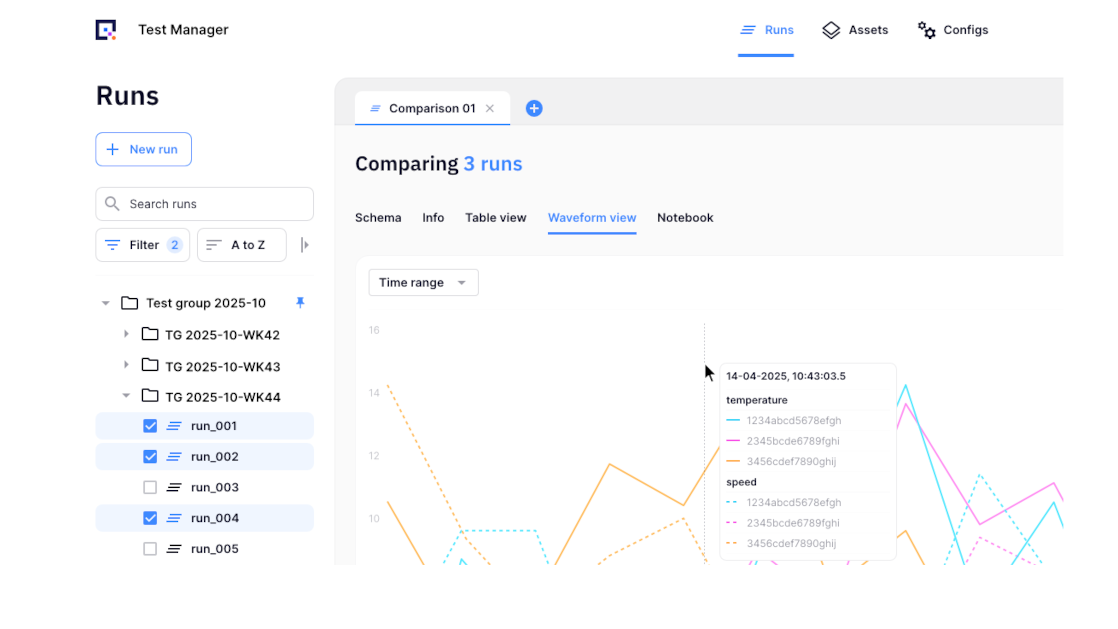
Explore all test runs in one place. Compare results side by side to see how different settings or conditions affected performance.

Find test data by asset

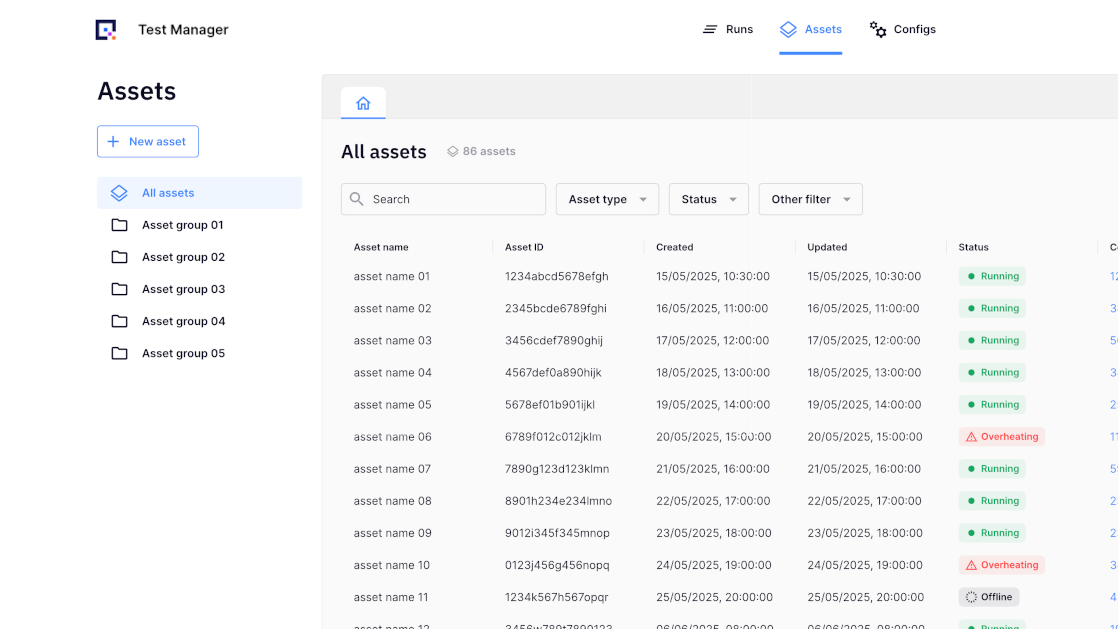
Search and filter test data by asset, whether it’s a model, device, component, or software version. View each asset’s complete test history in seconds.

Review configuration history

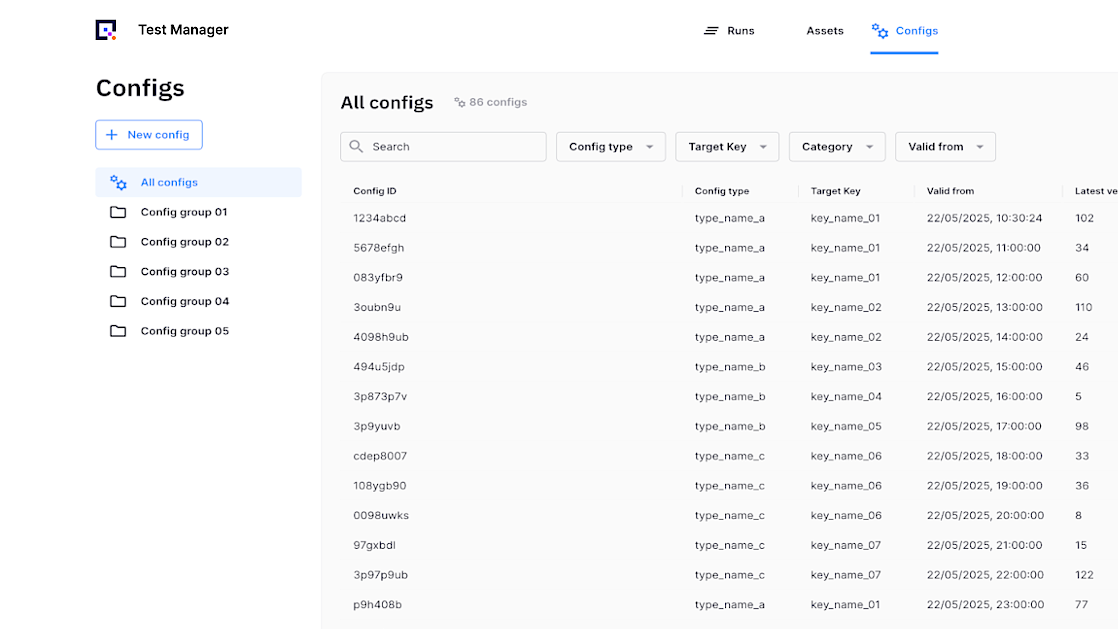
See a clear record of all configuration changes. Track what changed, when it changed, and which test runs used each version.
Further reading

Accelerating test and development at:
No items found.

Get started quickly with our open source connectors

No items found.